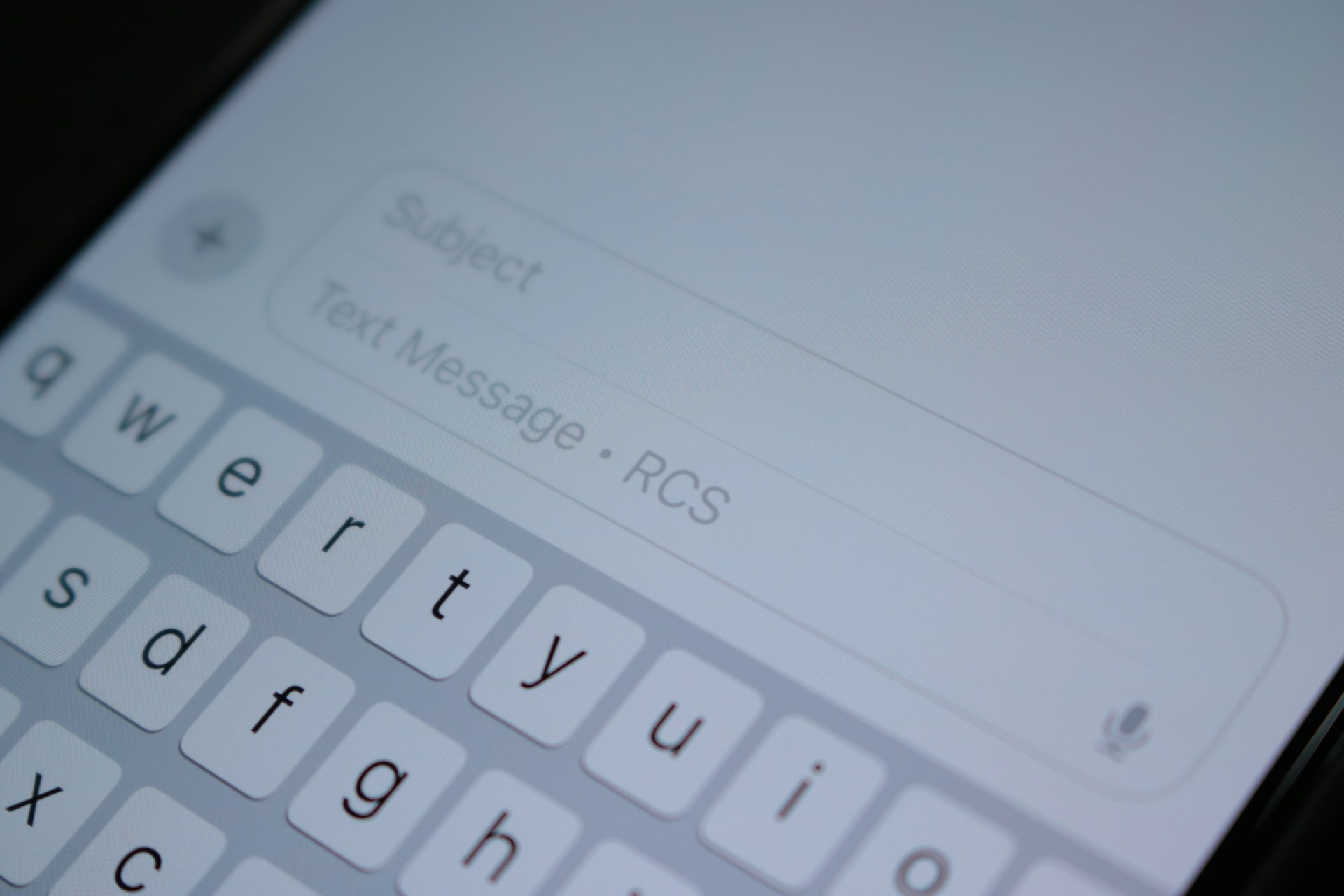


That little blue dot next to a contact in your messages app? It signals something far bigger than a notification. When your phone shows “RCS message” in the compose bar instead of “Text message,” you’re using the most significant upgrade to mobile messaging since SMS arrived in the 1990s. Yet most people have no idea what RCS actually means, why it appeared on their phone, or why it matters for how they communicate every day.
We’re going to change that. By the end of this guide, you’ll understand exactly what RCS chat is, how it differs from the texting you grew up with, and why its arrival on iPhones in 2026 marks a genuine turning point for everyone who sends messages from a phone number.
What Does RCS Stand For and What Does It Actually Mean?
RCS Meaning:
RCS stands for Rich Communication Services. It’s a messaging protocol, which is a fancy way of saying it’s a set of rules that phones and networks follow to send messages to each other. The GSM Association (GSMA), the same industry body that standardised SMS decades ago, created RCS as its official successor.
RCS Chat Meaning:
RCS Chat stands for Rich Communication Services Chat. Its the same messaging protocal introduced by GSMA and the only difference betweent RCS and RCS Chat is that in Android smartphones you see it named RCS Chat and on iOS and others you see it as RCS.
Think of RCS as SMS with the training wheels off. Traditional SMS was built for a world of flip phones and 160-character limits. RCS was designed for smartphones, for the way you actually communicate now: sharing photos, reacting to messages, seeing when someone’s typing, and having real conversations instead of sending one-line texts that cost money per message.
The term “RCS chat” gets used in a few different ways, which creates confusion.
On Android phones, Google Messages labels RCS conversations as “RCS chats” to distinguish them from SMS/MMS threads. You’ll see “RCS chat” in your settings, in notification labels, and in the compose bar. In the broader industry, “RCS chat” simply refers to any person-to-person conversation happening over the RCS protocol.
What RCS is not: a separate app. You don’t download RCS the way you download WhatsApp or Telegram. RCS is built into the messaging app that already came with your phone. On Android, that’s typically Google Messages.
On iPhone, it’s the Messages app you’ve always used.
How RCS Chat Works Behind the Scenes
RCS messages travel over your mobile data connection or Wi-Fi, not the cellular voice network that SMS relies on. That single architectural difference explains almost everything RCS can do that SMS cannot.
When you send an RCS message, your phone checks whether the recipient’s device also supports RCS. If it does, the message travels through RCS infrastructure operated by your carrier or by Google.
If it doesn’t, the message automatically falls back to SMS or MMS so it still gets delivered. This fallback behaviour is why RCS doesn’t break communication with people who have older phones or haven’t enabled the feature yet.
The GSMA’s Universal Profile acts as the common language that different RCS implementations speak. Without it, an RCS message from one carrier’s network might not display properly on another carrier’s network. The Universal Profile harmonises behaviour across networks, devices, and messaging clients, which is what allows RCS to work as a genuine cross-platform standard rather than a collection of incompatible services.
RCS messages are typically provided by your mobile carrier, and in some cases by Google. When Google provides the RCS service, messages route through Google’s RCS infrastructure over the internet.
If your recipient’s RCS service comes from a different provider, the message routes through Google’s infrastructure and then to the recipient’s RCS infrastructure.
RCS vs SMS:
SMS served us well for thirty years. RCS exists because SMS hit a wall. Here’s how they compare on the things that matter:
Message length. SMS caps at 160 characters for a single message. RCS has no such limit. You can write as much as you want without your message splitting into fragments that arrive out of order.
Media sharing. SMS cannot handle images or video at all. MMS can, but compresses everything to the point of uselessness. RCS sends high-resolution photos, videos, audio messages, and files up to 100 MB without degrading quality.
Read receipts and typing indicators. SMS gives you nothing. You send a message and hope. RCS shows you when someone has read your message and when they’re typing a reply, the same way iMessage and WhatsApp do.
Group chats. SMS group messaging is a mess of fragmented replies and missing context. RCS supports proper group chats where you can name the group, set an icon, and manage participants.
Security. SMS travels over the SS7 protocol in plain text, which is why SMS-based two-factor authentication has been repeatedly compromised. RCS uses Transport Layer Security (TLS) encryption for all messages, and end-to-end encryption for person-to-person chats between Google Messages users and, since May 2026, between iPhone and Android users as well.
Cost. SMS messages often cost money per message depending on your plan. RCS messages use your data plan instead, which means they typically don’t cost extra.
| Feature | SMS | RCS |
|---|---|---|
| Character limit | 160 per message | None |
| Media support | None (MMS only) | High-res images, video, audio, files |
| Read receipts | No | Yes |
| Typing indicators | No | Yes |
| Group chats | Basic | Full-featured |
| Encryption | None (plain text) | TLS + end-to-end encryption |
| Delivery | Voice network | Data or Wi-Fi |
| Cost | Per-message | Data plan |
So now you have an understanding of what RCS chat means in reality. Let’s debunk the other myths about RCS chats:
RCS on iPhone: What Changed and Why It Matters
For years, iPhone users who messaged Android users got the worst of both worlds: green bubbles, compressed photos, no typing indicators, and no read receipts. Apple treated every non-iMessage text as a second-class citizen. That era ended in September 2024 when Apple added RCS support with iOS 18.
The change didn’t turn green bubbles blue. Apple kept the colour. What changed is that a green RCS thread now does most of what a blue iMessage thread does: high-resolution photos and videos, read receipts, typing indicators, reactions, and larger group chats. The quality gap between iPhone-to-iPhone and iPhone-to-Android conversations narrowed dramatically.
The bigger shift came in May 2026, when Apple and Google began rolling out end-to-end encryption for cross-platform RCS chats in beta. iPhone users on iOS 26.5 with supported carriers and Android users on the latest version of Google Messages now see a lock icon in their RCS conversations, indicating that messages are encrypted end-to-end and cannot be read by anyone except the sender and recipient.
This matters because it closes what was arguably the most significant security gap in mobile messaging. For the first time, a person using an iPhone can send a fully encrypted message to a person using an Android phone through their default messaging apps, without installing any third-party software.
RCS vs iMessage: Two Systems, One App
The confusion between RCS and iMessage trips up a lot of people, so let’s clear it up. iMessage is Apple’s proprietary messaging service. It works only between Apple devices, it’s end-to-end encrypted by default, and it’s been the blue-bubble experience since 2011. RCS is an open standard maintained by the GSMA. It works across Android and iPhone, it’s now gaining end-to-end encryption, and it handles the green-bubble conversations.
On your iPhone, both systems live inside the Messages app. iMessage handles chats with other Apple users. RCS handles chats with Android users and with businesses that use RCS for Business messaging. You don’t switch between them manually. The app routes your message through the appropriate protocol based on who you’re messaging.
The practical result is that the iPhone messaging experience is now consistent regardless of who you’re talking to. You get rich features and encryption whether the person on the other end has an iPhone or an Android. The bubble colour remains the only visible difference.
RCS vs WhatsApp and Other Messaging Apps
RCS and WhatsApp both offer rich messaging features, but they compete on fundamentally different terrain. WhatsApp is a standalone app owned by Meta that you must download and register for. RCS is built into the messaging app that came with your phone, using your existing phone number.
That difference shapes everything else. RCS reaches anyone with a phone number and a compatible device, regardless of whether they’ve installed a particular app. WhatsApp reaches only people who have downloaded WhatsApp. For businesses trying to communicate with customers, RCS offers near-universal reach without asking customers to install anything.
WhatsApp has advantages of its own. It offers audio and video calling, broadcast lists, and a mature set of business tools. It’s also end-to-end encrypted by default for all conversations, a standard RCS is still working toward across all scenarios. RCS has the edge in native integration and operator trust, while WhatsApp leads in encryption maturity and international reach outside the United States.
The two aren’t mutually exclusive. Many businesses use both channels, deploying RCS for customers who prefer native messaging and WhatsApp for those who live inside Meta’s ecosystem.
What RCS Encryption Actually Means for Your Security
Encryption is where RCS has made the most dramatic progress, and it’s worth understanding what’s actually happening under the hood.
Every RCS message uses Transport Layer Security (TLS) to protect it in transit between your device and the RCS infrastructure. This means that anyone trying to intercept your message between your phone and the server would see only encrypted, unreadable text. But TLS alone doesn’t protect against the service provider itself being able to read your messages.
End-to-end encryption solves that. When RCS chats are end-to-end encrypted, the messages are encrypted on your device and decrypted on the recipient’s device. The servers in between, whether operated by Google, your carrier, or anyone else, cannot read the content. Google Messages has offered end-to-end encryption for Android-to-Android RCS chats since 2020. The May 2026 beta rollout extends that protection to iPhone-to-Android conversations.
You’ll know a conversation is end-to-end encrypted when you see a lock icon in the chat. Encryption is on by default and applies automatically to new and existing RCS conversations over time. The GSMA’s Universal Profile 3.0, published in March 2025, was the first version of the standard to formally define end-to-end encryption for person-to-person RCS messaging, including requirements for user experience, key management, and client behaviour.
For SMS, none of this exists. SMS messages travel in plain text over the SS7 protocol, which is why SMS-based authentication has been repeatedly exploited by attackers. Moving to RCS, even without end-to-end encryption, is already a security upgrade over SMS. With end-to-end encryption, it becomes comparable to iMessage and WhatsApp.
RCS for Business: What Those Branded Messages Mean
If you’ve received a message from a company that shows their logo, name, and a verification badge instead of a random phone number, you’ve encountered RCS for Business. This is one of the areas where RCS is seeing the fastest adoption, and it’s changing how businesses communicate with customers.
RCS for Business lets companies send messages that appear in the same messaging app you use for personal texts, but with a verified sender profile that displays their brand identity. You’ll see the business name, logo, brand colours, and a verification badge that confirms the sender is legitimate. This makes it much harder for scammers to impersonate a brand through SMS, where all you see is a phone number or short code.
The interactive features go beyond branding. RCS business messages can include tappable buttons, suggested replies, carousels of product cards, and actions like “Call Support” or “Add to Calendar” that work directly inside the message thread. You can confirm appointments, browse products, or make payments without leaving the conversation. About two-thirds of customers surveyed said they would be more likely to engage with a business text if they could interact with buttons and scheduling features without leaving the message.
The security infrastructure behind RCS for Business is more robust than SMS. Google uses app attestation to verify that messages come from real devices and trustworthy clients, which helps prevent spoofing. AI-powered filters and machine learning models detect and suspend unsafe business agents, and Google Safe Browsing scans URLs for malicious links.
How Many People Actually Use RCS?
RCS adoption has accelerated dramatically since Apple’s support arrived. As of early 2026, there are approximately 3.8 billion active RCS users globally, compared to 5.5 billion SMS users. That figure represents roughly 40% of global mobile subscribers and is projected to grow further by the end of the year.
The infrastructure footprint is even broader. Approximately 96.2% of smartphones are RCS-enabled, and RCS is supported by all mobile carriers on both Google Messages and the Apple Messages app. GSMA Intelligence estimates that around 6 billion devices worldwide are RCS-capable, including approximately 4.5 billion Android devices and more than 500 million Apple devices running iOS 18 or later.
Business adoption is following the user numbers. Juniper Research forecasts operator revenue from RCS Business Messaging to reach $2 billion in 2026, growing to $6.5 billion by 2030. Business RCS traffic is expected to exceed 200 billion messages annually by 2027.
More than 30% of businesses are prioritising rich messaging as a development and investment area in 2026.
How to Tell If You’re Using RCS Chat
On Android, open Google Messages and look at the compose bar. If it says “RCS message,” you’re sending over RCS. If it says “Text message,” you’re falling back to SMS.
You can also check your settings: open Google Messages, tap your profile picture, go to Messages settings, then RCS chats. If RCS chats are turned on, you’ll see options for read receipts, typing indicators, and other features.
On iPhone, open Settings, go to Apps, then Messages, then RCS Messaging. If RCS is enabled and your carrier supports it, the toggle will be on. You’ll also see RCS features in action when you message an Android user: read receipts, typing indicators, and higher-quality media.
A blue dot or chat bubble icon next to a contact in Google Messages indicates that the conversation is using RCS.
If you see read receipts for your sent messages, or if the other person’s typing indicator appears, you’re in an RCS conversation.
If RCS isn’t working, the most common culprits are carrier support (not all carriers have enabled RCS in all regions), device compatibility (older phones may not support it), or a settings toggle that’s been turned off.
The fallback to SMS happens automatically, so you’ll still be able to send messages even if RCS isn’t available.
Common Misconceptions About RCS Chat
“RCS is a Google product.” No. RCS is a standard maintained by the GSMA, the same industry body behind SMS. Google is its biggest implementer, and Google Messages is the most widely used RCS client, but the standard belongs to the mobile industry, not to Google alone. Apple’s implementation of RCS runs through Apple’s own infrastructure.
“RCS will replace SMS completely.” RCS is designed to succeed SMS, but SMS isn’t going away. It remains the universal fallback that works on every phone, in every country, on every carrier, without requiring a data connection. Many businesses will continue using SMS for alerts and time-sensitive notifications where universal reach matters more than rich features.
“RCS is just iMessage for Android.” RCS is cross-platform, not Android-only. It works on iPhones too, and the encryption rollout in 2026 specifically targets iPhone-to-Android conversations. iMessage remains Apple-exclusive, while RCS is the interoperable standard that connects both ecosystems.
“RCS messages cost extra.” RCS messages use your data plan, not your SMS allowance. If you have a data connection, RCS messages typically don’t cost anything beyond your normal data usage. The exception is when RCS falls back to SMS, which may incur per-message charges depending on your plan.
What RCS Means for the Future of Messaging
The arrival of end-to-end encryption for cross-platform RCS in 2026 is more than a technical milestone. It’s the moment native messaging on phones finally caught up with the security and features that third-party apps have offered for years. You no longer have to choose between the convenience of your phone’s built-in messaging app and the privacy of an encrypted conversation.
The structural consolidation happening alongside this shift matters too. Samsung has confirmed it will shut down its Samsung Messages app from July 2026, directing Galaxy users to Google Messages as the default client for SMS and RCS. With that change, carrier messaging is effectively centred on two native clients: Apple Messages on iOS and Google Messages on Android. That consolidation removes a long-standing source of fragmentation that slowed RCS interoperability and feature parity.
For businesses, RCS opens a channel that combines the reach of SMS with the engagement of a messaging app. Customers can interact with brands without downloading anything, without creating an account, and without leaving their default messaging app. The verified sender profiles and anti-spam protections create a trust layer that SMS never had.
For everyone else, RCS chat simply means better texting. Higher-quality photos that arrive the way you sent them. Read receipts that tell you your message landed. Typing indicators that make conversations feel natural. Group chats that actually work. And, increasingly, the knowledge that the conversation is private.
The blue dot in your messages app is a small signal for a large shift. RCS chat is what texting should have been all along, and in 2026, it’s finally available to almost everyone with a smartphone.